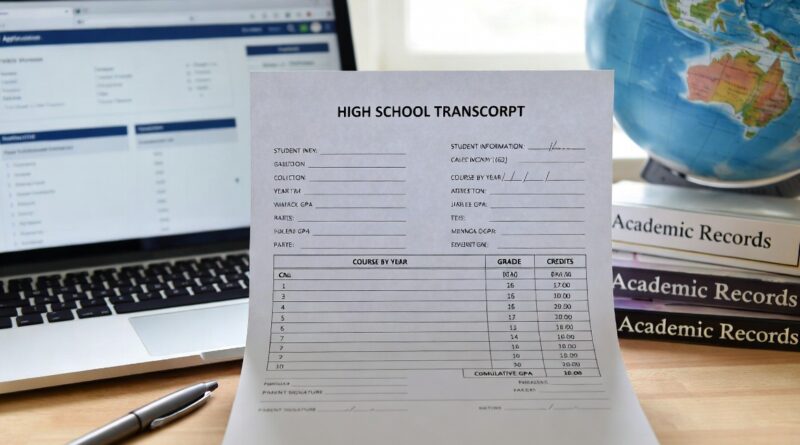
10 Free Printable High School Transcript Templates
Homeschooling high schoolers successfully prepare for college, careers, and beyond every year, and one of the most important tools in that process is a clear, professional high school transcript. Whether your student is applying to college, seeking scholarships, enlisting in the military, or entering the workforce, a well-prepared transcript tells their academic story in a format admissions officers and employers can quickly understand and trust.
In my experience creating transcripts for my own two homeschooled graduates—who both earned admission to competitive universities—the quality and clarity of the transcript made a noticeable difference. Admissions counselors repeatedly commented on how easy it was to see the rigor of the coursework and the student’s consistent performance. Families I’ve guided through the process often feel overwhelmed at first, but once they understand the essential elements and choose a template style that fits their student’s journey, the task becomes straightforward and even empowering.
This guide provides exactly what you need: practical, free or easily replicable printable transcript approaches you can create today using common free tools like Google Docs, Google Sheets, Microsoft Word Online, or Canva’s free tier. I’ve outlined 10 distinct template styles, each with a clear purpose, sample layout, step-by-step creation instructions, printing tips, and guidance on when it works best. These are designed to be professional, customizable, and college-ready while remaining completely free to produce.
Quick Answer Homeschool parents can—and routinely do—create professional, widely accepted high school transcripts using free tools and templates. The most effective versions clearly list courses by year or subject, include grades, credits (typically 1 credit = 120–180 hours of work), a cumulative GPA on a 4.0 scale, the grading scale used, student and school information, and a parent signature. Colleges across the U.S. accept well-prepared homeschool transcripts when they demonstrate academic rigor (generally 4 years English, 3–4 Math, 3–4 Science, 3–4 Social Studies, 2+ Foreign Language, and electives). Start tracking in 9th grade, keep detailed records, and choose a template style that highlights your student’s strengths. Below are 10 free, printable styles you can implement immediately. Always verify specific requirements with target colleges and consult resources like the Home School Legal Defense Association (HSLDA) for guidance.
Why a Strong High School Transcript Matters
A transcript is the official academic record of your student’s high school years. It summarizes courses taken, grades earned, credits awarded, and overall performance through a calculated Grade Point Average (GPA). For homeschoolers, it serves the same purpose as a traditional school transcript and is the primary document colleges use to evaluate academic preparation.
Research and practical experience from homeschool graduates show strong outcomes: many colleges actively recruit homeschoolers and accept parent-prepared transcripts without issue, provided they are clear, consistent, and demonstrate appropriate rigor. According to guidance from HSLDA and experienced homeschool educators, the key is presenting information in a professional, easy-to-read format that allows admissions staff to assess the student quickly.
Essential Elements Every Transcript Should Include
- Student’s full name, date of birth, and graduation date (or projected date)
- Homeschool name or “Independent Homeschool” with parent/guardian contact information
- List of courses organized by academic year/semester or by subject
- Grade earned for each course (letter or percentage) and credit value
- Cumulative GPA and, optionally, yearly or weighted GPA
- Grading scale explanation (e.g., 90–100 = A = 4.0)
- Total credits earned
- Parent or primary educator signature and date
- Optional but powerful additions: brief course descriptions (separate page), standardized test scores (SAT/ACT), or a note on teaching methods for non-traditional courses
Credit Assignment Basics Most colleges expect roughly 24 total credits for graduation, with core distributions similar to public schools. A standard Carnegie unit is typically 120–180 hours of instruction and work per credit. You decide what counts as a credit based on documented time and mastery—keep records of hours, assignments, and assessments.
GPA Calculation Use a standard 4.0 unweighted scale unless you designate honors or advanced courses for weighting (e.g., +0.5 or +1.0 point). Many free spreadsheet templates automate this. Always include your grading scale on the transcript.
Important Disclaimer Transcript and graduation requirements vary by state and by individual college or program (some scholarships or NCAA eligibility have additional rules). This article offers general educational guidance based on widely accepted practices. It is not legal or college admissions advice. Verify current requirements directly with your state homeschool laws and the admissions offices of schools your student is considering. Resources like HSLDA (hslda.org) provide excellent state-specific support and member resources.
10 Free Printable High School Transcript Template Styles
Here are ten practical, professional styles you can create for free. Each includes guidance on layout, when to use it, and exact steps to produce a polished, printable version.
1. Classic Year-by-Year Tabular Template Best for: Most families; straightforward and familiar to admissions officers. Organize courses chronologically by grade level (9th, 10th, 11th, 12th), with semesters or full-year columns. This mirrors traditional school formats. Sample structure (use a table in Google Docs or Sheets):
| Year/Semester | Course Title | Grade | Credits |
|---|---|---|---|
| 9th Fall | English 9 | A | 0.5 |
| 9th Spring | Algebra I | B+ | 0.5 |
| … | … | … | … |
Creation Steps (Google Sheets – free & auto-calculates GPA):
- Open Google Sheets → New spreadsheet.
- Create tabs: Student Info, 9th Grade, 10th Grade, etc., plus a Summary tab.
- In each year tab, build the table above. Add a column for Grade Points (e.g., =IF(B2=”A”,4,IF(B2=”B”,3,…))).
- On Summary tab, use SUM formulas for total credits and GPA.
- Add header with student/school info and footer with grading scale. Print: Set print area to fit on 1–2 pages, landscape or portrait as needed. Export as PDF for submission.
This style is highly trusted because it is easy to scan and demonstrates consistent progress over time.
2. Subject-Organized Comprehensive Template Best for: Students with non-linear pacing or those who want to highlight depth in specific subjects. Group all English courses together, all Math together, etc., across all four years. This works well for students who took longer on certain subjects or completed advanced work early. Many free Excel templates (such as the one offered by TheHomeSchoolMom) use this format with built-in GPA formulas. How to create: Mirror the year-by-year structure but sort rows by subject instead of year. Add a “Year Completed” column. Use the same spreadsheet formulas for automatic calculations.
3. One-Page Summary with Course Descriptions Attached Best for: Quick submissions or when you want to keep the main transcript concise while providing depth separately. The main page shows student info, cumulative GPA, total credits, and a high-level list or summary table. Attach a one- or two-page addendum with short course descriptions (2–4 sentences each explaining content, materials, and rigor). Creation tip: Use Google Docs for the clean one-page main transcript. Create descriptions in a separate document and combine into one PDF when submitting.
4. Honors, AP, and Weighted Emphasis Template Best for: Academically strong students applying to selective colleges. Clearly flag honors, advanced, dual-enrollment, or AP-level courses. Include a weighted GPA column alongside the unweighted one. In the table, add a “Level” or “Weight” column (e.g., Honors = +0.5). Many families using this style report stronger positioning for merit aid.
5. Dual Enrollment & External Credits Integrated Template Best for: Students who took community college, online academy, or tutor-led courses. Dedicate columns or sections for “Provider/Institution,” “Course Title as Listed on Transcript,” and “Homeschool Equivalent.” This clearly shows college-level work without confusion. Pro tip: List the external course name exactly as it appears on the official transcript from the provider, then note the homeschool credit awarded.
6. Minimalist Clean One- or Two-Page Design Best for: Students with fewer but high-quality courses or those who prefer simplicity. Use generous white space, a modern sans-serif font (like Arial or Calibri), and only essential columns. Perfect for visual clarity and printing on high-quality paper. Creation: In Canva (free account) search “resume” or “certificate” templates and adapt, or use Google Docs with clean table formatting and 0.5–0.75 inch margins.
7. Project-Based & Non-Traditional Learning Focus Best for: Unschoolers, interest-led learners, or students with significant real-world projects, internships, or entrepreneurship. Include a standard academic core plus a dedicated “Experiential Learning” or “Capstone Projects” section with brief descriptions and hours/credits assigned. Emphasize documented mastery and outcomes rather than seat time.
8. Multi-Page Detailed Record with Supporting Evidence Best for: Students with extensive portfolios, lab work, or unique educational paths. Main transcript pages follow a standard format; additional pages include selected course syllabi excerpts, reading lists, or project summaries. Keep the core transcript to 1–2 pages.
9. Cumulative with Yearly Trend Highlights Best for: Showing academic growth over time. Include a small graph or simple year-by-year GPA summary at the top or bottom (easy to add in Sheets). This visually demonstrates improvement or consistent excellence.
10. Fully Customizable Auto-Calculating Google Sheets Master Template Best for: Families who want maximum flexibility and automatic math. Start with a free public template structure (search “homeschool transcript Google Sheets” or adapt from TheHomeSchoolMom’s Excel version by recreating the formulas). Build tabs for Student Info, Courses by Year, GPA Summary, and Course Descriptions. Use dropdown menus for grades and conditional formatting for visual polish. This style is reusable for multiple children and updates easily each semester.
Best Practices for Professional Results
- Start Early: Begin recording courses and grades at the end of 9th grade or as soon as high school-level work begins. HSLDA recommends updating regularly.
- Be Descriptive Yet Concise: Course titles like “Honors British Literature with Composition” or “Conceptual Physics with Lab” convey rigor better than generic names.
- Proofread Ruthlessly: Errors undermine credibility. Have a second person review.
- Print on Quality Paper: Use bright white 24–28 lb paper for mailed copies. For digital submission, export clean PDFs.
- Include a Grading Scale: Always explain how you assigned grades.
- Consider a Separate Course Description Document: Many colleges appreciate 1–2 pages detailing what was covered in key courses.
- Keep Records: Maintain portfolios, time logs, assignment samples, and test results as backup.
Conclusion
Creating a high school transcript for your homeschooled student is a manageable and meaningful part of the journey. With the right template style and attention to clarity and rigor, you can produce a professional document that opens doors to college and beyond. The 10 approaches outlined here give you flexible, free options that fit a wide range of educational philosophies and student profiles—from traditional year-by-year records to creative project-based presentations.
Start with good record-keeping now, choose the style that best showcases your student’s strengths, and don’t hesitate to reach out to admissions offices with questions they are often happy to guide homeschool families. Your transcript is more than paperwork; it is a testament to the thoughtful education you’ve provided.
Begin today with one of these templates, and you’ll have a polished, printable result ready when you need it.
Last Updated: June 19, 2026
FAQs
Do colleges really accept parent-created homeschool transcripts?
Yes. The vast majority of colleges and universities in the U.S. accept well-prepared homeschool transcripts. Clarity, consistency, and evidence of academic rigor matter far more than the source of the document.
How many credits does my student need to graduate?
This varies by state and your goals. A common college-prep target is 24+ credits with strong core distribution. Check your state’s homeschool regulations and the expectations of schools your student is targeting.
Should I use a transcript service or create my own?
Both work. DIY using the templates above is free and fully customizable. Paid services (such as HSLDA’s Transcript Service) offer convenience, automatic formatting, and GPA calculation for a fee. Many families successfully use the free route.
What if my student took non-traditional courses like coding bootcamps or extensive travel-based learning?
Assign credit based on documented hours and mastery, and include clear descriptions. Some families create hybrid transcripts that combine traditional formatting with explanatory notes or addendums.
Do I need to notarize the transcript?
Usually not required, but some colleges or programs may request it. A simple parent signature with date is standard. Keep a copy for your records.
How do I handle weighting for honors or dual-enrollment courses?
Decide your policy in advance (e.g., honors = +0.5 on the 4.0 scale) and apply it consistently. Clearly note the weighting system on the transcript.
Can I update the transcript after submission?
For final official versions, submit after all high school work is complete. Some families send updated versions if significant new work is finished before a decision is made.
Where can I find additional free resources?
HSLDA offers transcript guidance and member templates at hslda.org. TheHomeSchoolMom provides a free downloadable Excel template with GPA calculations. Search for “homeschool transcript Google Sheets” for community-created auto-calculating options.